
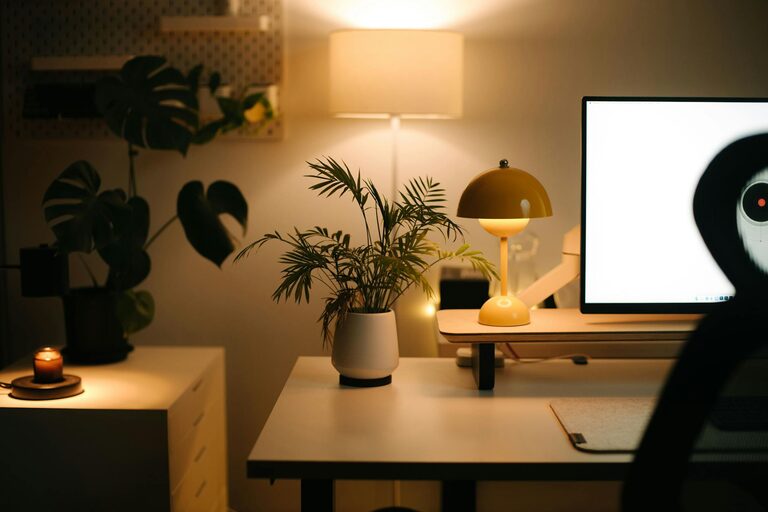
Creating a home office that feels both cozy and functional is essential for staying productive and comfortable during your workday. Whether you’re working remotely full-time or just occasionally, your workspace should support focus while also being an inviting place where you enjoy spending time. In this post, we’ll explore practical tips to help you design a home office that balances comfort and efficiency.
1. Choose the Right Location
Begin by selecting the best spot in your home for your office. Think about where you can minimize distractions and have enough natural light.
– Quiet corners: Areas away from the main living spaces help reduce noise.
– Natural light: Position your desk near a window to benefit from sunlight, which can boost mood and productivity.
– Space availability: Make sure there’s enough room for your furniture and equipment without feeling cramped.
If space is limited, consider multi-use areas like a nook or a corner in the bedroom or living room.
2. Invest in Comfortable and Ergonomic Furniture
Your furniture choices make a huge difference in how functional and cozy your office feels.
– Desk: Select a desk that fits your workflow. Standing desks or adjustable-height desks offer flexibility.
– Chair: Prioritize ergonomic chairs that provide proper back support and comfort for long sitting hours.
– Storage: Use shelves, filing cabinets, or organizers to keep supplies within reach but out of the way.
Comfort promotes better focus and reduces strain, so try sitting at your setup for a while before finalizing your choices.
3. Optimize Lighting for Comfort and Productivity
Lighting affects your energy and how well you see your work.
– Layer your lighting: Combine overhead lights with task lighting such as desk lamps.
– Avoid glare: Position screens perpendicular to windows and use blinds or curtains to control sunlight.
– Use warm bulbs: Warm or natural white light tones create a cozy atmosphere that feels relaxing but alert.
If possible, maximize the use of natural light during the day and use adjustable lamps in the evening.
4. Personalize with Soothing Colors and Decorations
Create a welcoming atmosphere by using colors and decor that make you feel calm and happy.
– Color choice: Soft neutrals, pastel tones, or muted blues and greens are good for concentration and relaxation.
– Art and plants: Add artwork that inspires you and plants which improve air quality and add a natural touch.
– Textiles: Include cozy elements like a throw blanket or cushioned chair pads to soften the space.
Personal touches make the space uniquely yours and encourage you to enjoy working there.
5. Keep Your Workspace Organized
A tidy workspace helps you focus and reduces stress.
– Declutter regularly: Clear off your desk at the end of each day.
– Use organizers: Drawer dividers, cable trays, and storage boxes can keep items neat.
– Designate zones: Have separate areas for computer work, paperwork, and office supplies.
Organizing your space makes it easier to find what you need and keeps distractions to a minimum.
6. Set Boundaries for Work and Relaxation
To maintain balance, it’s important to mentally and physically separate work from personal life.
– Dedicated area: If possible, keep your work area separate from where you relax or sleep.
– Start and end rituals: Create routines like shutting down your computer and cleaning your desk at day’s end.
– Limit distractions: Use noise-cancelling headphones or background music if needed.
Clear boundaries help your brain switch off from work and lead to better overall well-being.
7. Incorporate Technology Thoughtfully
Your tech setup should support efficient work without adding clutter or stress.
– Cable management: Use clips or sleeves to keep cords organized.
– Quality equipment: Invest in reliable devices, including a good monitor, keyboard, and mouse.
– Connectivity: Ensure your internet connection is strong to avoid disruptions.
Keep technology simple and effective to maintain a clean and functional space.
8. Add Comfort Features for Well-being
Don’t forget small comforts that improve your daily experience.
– Temperature control: Use a fan or heater as needed to maintain a comfortable temperature.
– Water and snacks: Keep hydrated and nourished with a water bottle and healthy snacks nearby.
– Break area: If space allows, include a small spot to stand, stretch, or relax during breaks.
Taking care of your physical needs supports sustained productivity and comfort throughout the day.
—
Designing a cozy and functional home office is all about blending comfort with practical organization. By selecting the right location, investing in ergonomic furniture, optimizing lighting, and personalizing the space, you can create a workstation that supports your work goals while feeling inviting and stress-free. With a little planning and attention to detail, your home office can become your favorite room to work in!